
 Speaker v4.1.3 Page to Speech Plugin for WordPress
  Muvipro v2.1.8 Movie WordPress Theme
  Aldo v1.0.9 Gutenberg WordPress Theme Black & White
  Majalahpro v1.3.0 News Portal WordPress Theme
  Travel Time v1.2.9 – Tour and Hotel WordPress Theme
  Hypermart v1.3.2 Fast, Conversion Optimized WooCommerce Theme
  WP Rocket v3.17.0.1 Caching Plugin for WordPress
  66socialproof v41.0.0 Social Proof & FOMO Widgets Notifications (SAAS)
 How to Download Free Source Code at Remo-XP.net, it turns out that quite a few people don’t know or are confused when they want to download the source code at Remo-XP.net, well in this tutorial we will explain it completely with pictures, so please read the tutorial until the end.
First:
Go to the site https://www.remo-xp.net then search for or click on the source code you want to download, for example like this.
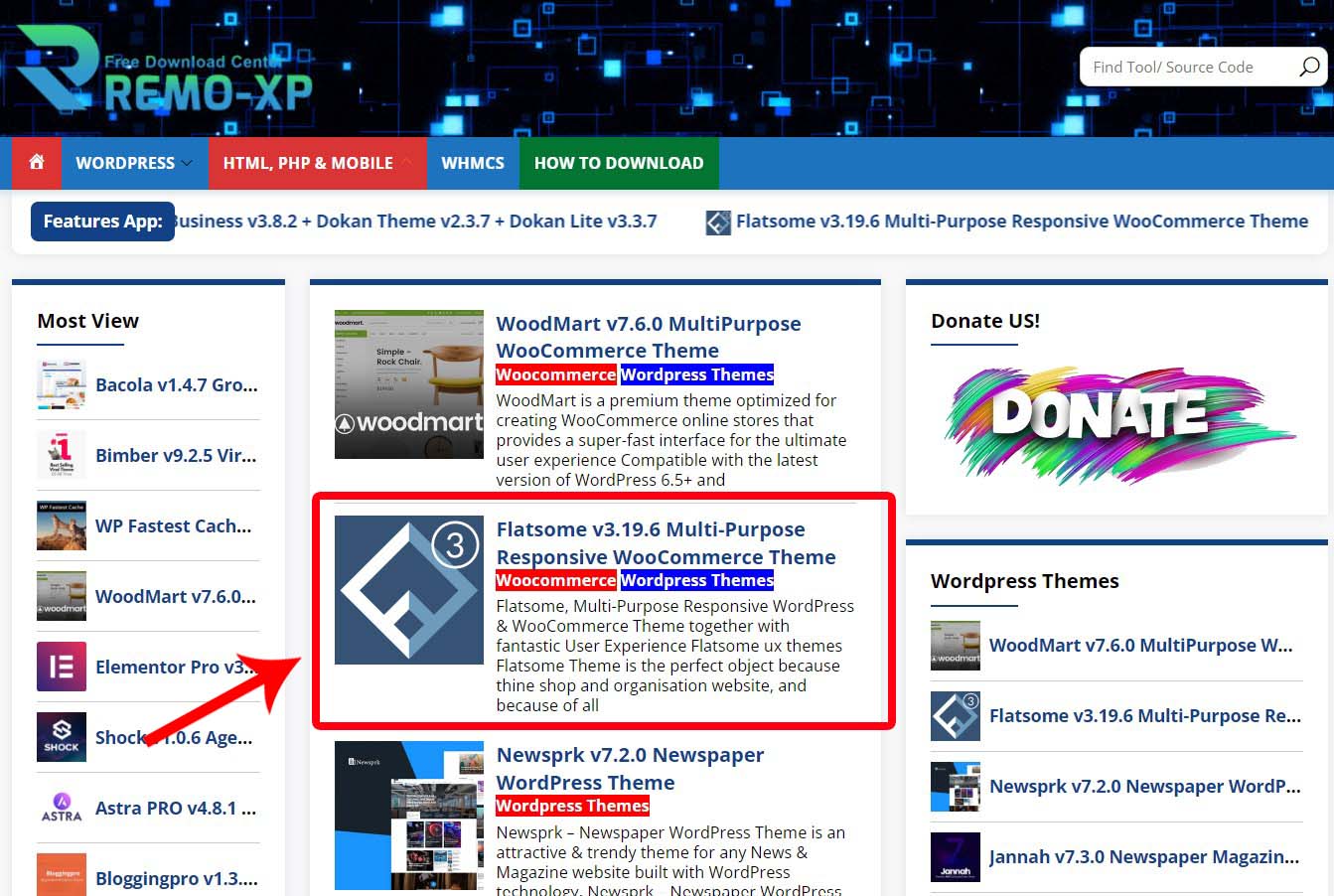
Second:
Then you will go to the article details page, here you can read it first or immediately look for the Download button, then click that button.

Third:
After that, select the download location you want, for example GoogleDrive.

Fourth:
Later you will be directed to the 1st shortlink page, here you just click I’m Not Robot (Turn off the Ad Blocking Extension Temporarily!).

Fifth:
After that, wait a few seconds, then click the Double Click to Generate Link button.

Sixth:
After that, click the Link Download button.

Seventh:
Repeat Step Fourth one more time and you will be directed to the download page via Google Drive.